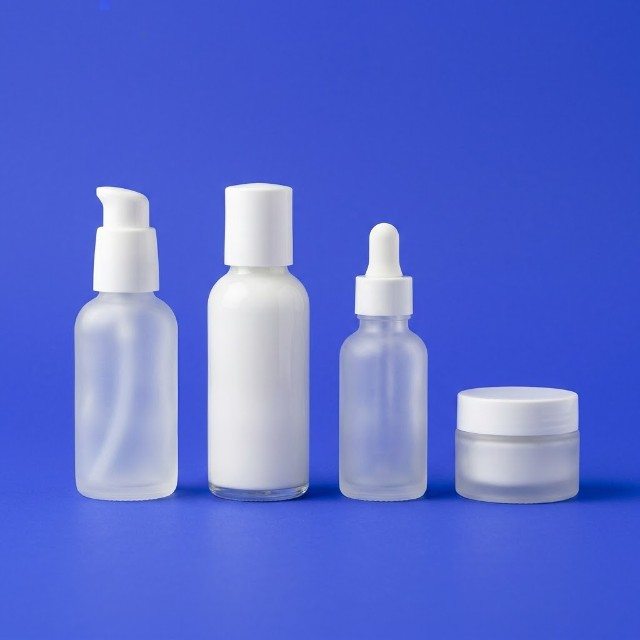
How to choose backgrounds for product photos
White, coloured, textured or lifestyle: how to pick a background that makes your products look good and your feed look like one brand.

Many product photos fail not because of the product or the phone, but because of what is behind it: a messy counter, a patterned bedspread, a corner of the stockroom. The eye goes to the clutter instead of the thing you want to sell.
A good background is quiet, fits the product and repeats from post to post. Below is how to choose one, what to buy for almost nothing, and when to use each type.
What a background has to do
Before buying anything, remember the three jobs of a background:
- Separate the product. The item should stand out clearly. A dark bottle on a dark table disappears; on a light surface it pops.
- Support the mood. Rough wood says handmade and natural. Clean white says precise and modern. Marble says premium.
- Stay consistent. When customers scroll your page, the same two or three backgrounds make it look like one shop with a clear style.
Plain white or light grey: the safe choice
A plain light background is the easiest way to make products look clean and professional. It works especially well for online shops, cosmetics, electronics, jewellery and anything you also list on a marketplace.
You do not need a studio. A large sheet of white card or a roll of white paper, bent from the wall down onto a table, creates a seamless curve with no visible corner. Put it next to a window, and use a second white card on the other side to soften shadows.
The downside: white can feel cold and anonymous if every photo is the same. Mix it with a few lifestyle shots so the page does not look like a catalogue.
Coloured backgrounds
A coloured background helps a small brand become recognisable. Choose one or two colours that match your logo or packaging and use them regularly.
- Pick colours that contrast with the product. Green herbs on a soft pink or beige background look fresh; a yellow candle on yellow does not.
- Prefer muted tones (sand, sage, dusty blue, terracotta) over bright saturated colours, which can tint the product itself.
- Coloured card from a stationery shop costs only a few GEL, so you can test several before committing.
Textured surfaces
Texture adds warmth and tells a story. Useful surfaces you can find or make cheaply:
- Wood: an old board, a cutting board, a wooden tray. Good for food, handmade goods, natural cosmetics.
- Stone or marble-look: a ceramic tile from a building store, or a marble-print vinyl sheet. Good for jewellery, perfume, desserts.
- Linen and cotton: a plain tablecloth, slightly creased. Good for textiles, candles, bakery products.
- Concrete or plaster: a painted board. Good for modern, minimal products.
Keep the texture subtle. If people notice the background first, it is too strong.
Lifestyle backgrounds
A lifestyle photo shows the product where it is used: a mug on a windowsill with a view of old Tbilisi balconies, a dress on a hanger in a bright room, a bottle of wine on a picnic blanket in Kakheti. These photos help customers imagine owning the item.
For lifestyle shots, follow two rules: keep the product in sharp focus and make it the brightest or most contrasting element, and remove everything that is not part of the story. Cables, receipts and price tags have no place in the frame.
When the real background cannot be fixed
Sometimes there is no time or space to set up a background, for example when you get new stock and want to post today. In that case, shoot the product as cleanly as you can and let a tool do the rest. Our free AI photo tool takes an ordinary phone picture and places the product in a studio-style setting, which is handy for quick posts and listings. Always check that the result still shows the product accurately: colour, shape and size should match what the customer will receive.
Start this week
- Look at your last 12 posts and note which backgrounds you used. Are they calm? Do they repeat?
- Choose a simple system: one plain background, one textured surface and one lifestyle setting.
- Buy or find the materials: white card, one coloured card, one board or tile.
- Shoot your five best products on each background and see which works best for your brand.
- Save your setup in one corner so the next shoot takes five minutes, not an hour.
For more on lighting and angles, read our guide to product photos with a phone.