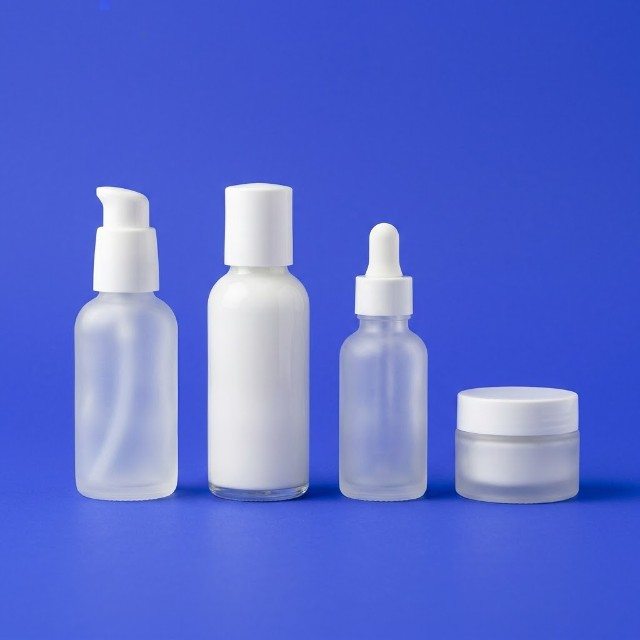
How to shoot flat lays for your products
A step-by-step guide to top-down product photos: surface, layout, props, light and phone position, with examples for local shops.
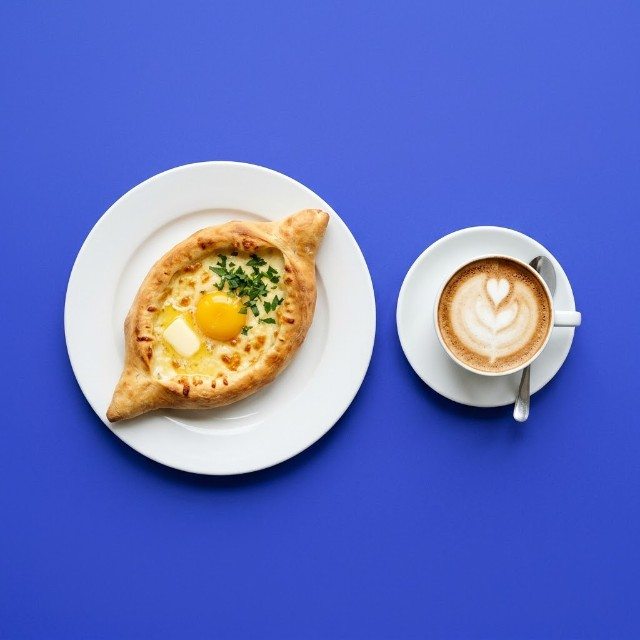
A flat lay is a photo taken straight from above, with products arranged on a flat surface. It is one of the easiest styles for a small business: no model, no studio, no complicated angles. A table, a window and a phone are enough.
Flat lays work well for cosmetics, jewellery, stationery, clothing, gift boxes, breakfast tables and anything you sell as a set. Here is how to make them look organised and attractive rather than like a pile of things on the floor.
Prepare the surface
The surface is your background, so it should be calm and fit your brand.
- Plain card or paper in white or a soft colour for a clean, modern look.
- Wood, linen or stone-look tiles for warmth and texture.
- A large sheet: bigger than you think, so the edges never appear in the frame.
Place the surface on a table or on the floor right next to a window. Side light from the window creates soft, short shadows that give the objects some depth.
Choose a hero and supporting items
Every flat lay needs one main product, the hero. Everything else supports it.
- Put the hero in the most visible spot, often slightly off-centre.
- Add 3-6 supporting items that explain the product or its mood. For a skincare cream: a small towel, a sprig of eucalyptus, a few drops of the cream on a spoon. For a coffee bean shop: a cup, a grinder, scattered beans, a croissant.
- Use props in your brand colours, or in neutral colours that do not compete.
A useful test: if someone cannot tell in one second what you are selling, there are too many items.
Arrange the layout
There are a few simple layouts that almost always work:
- Grid: items lined up in neat rows and columns with equal space between them. Clean and orderly, good for collections and product ranges.
- Centred: the hero in the middle, supporting items around it in a loose circle.
- Diagonal: items arranged along a diagonal line, which adds movement.
- Organised chaos: items placed casually, some partly cut by the frame edge. Feels natural and lifestyle-like, but takes practice to look intentional.
Leave breathing room. Empty space makes the photo calmer and gives you room to crop for different formats or add text later.
Position the phone correctly
A flat lay must be truly from above. If the phone is tilted, products look distorted and the surface looks like a trapezoid.
- Stand on a sturdy chair or step stool and hold the phone parallel to the surface.
- Turn on the grid and the level indicator, if your phone has one, to keep it straight.
- Use the main (1x) lens or a slight 2x zoom if available; the ultra-wide lens bends edges.
- Watch your own shadow. Stand so it does not fall across the layout.
For regular shoots, an inexpensive overhead phone holder saves a lot of time and gives identical framing every time.
Light and small details
Shoot during the day by the window with indoor lamps switched off. If one side is too dark, put a white card on the opposite side. Before you press the button, check:
- dust, hair and fingerprints on products and surface;
- labels facing the camera and straight;
- creases in fabric that look messy rather than relaxed;
- nothing that should not be there, like price tags or a phone charger.
Take several shots, then move one or two items and shoot again. Small changes often make a big difference.
Ideas for local businesses
- Gift shop: a New Year gift box with ribbon, a card and a few pine branches, ready for the December season.
- Bakery: a top view of a tray of fresh pastries with a cup of coffee and a napkin with your logo.
- Clothing store: a complete outfit laid out with shoes, bag and accessories.
- Beauty salon: the products used in a treatment, arranged in the order they are applied.
- Tour company: a map, a camera, sunglasses and a bottle of water for a day trip to Kazbegi.
If you only need a quick clean shot of a single product, the free AI photo tool can turn a plain phone picture into a studio-style image in a minute.
Start this week
- Choose one product as a hero and gather five supporting items.
- Set up a surface by the window and shoot one grid layout and one relaxed layout.
- Post the better one and save the setup for next time.
For more on choosing surfaces, read how to choose backgrounds for product photos.