Composition basics for business photos
Six simple composition rules that make product, food and interior photos look professional, even if you shoot only with a phone.
Two photos of the same cake, taken with the same phone in the same light, can look completely different. One looks like an advertisement; the other looks like a quick snapshot. The difference is usually composition: where things are placed in the frame and what is left out.
You do not need to study art to get this right. A handful of simple rules will improve almost every photo you post for your business.
1. Decide what the photo is about
Before you press the button, answer one question: what is the one thing I want people to notice? The new dessert, the stylist's work, the view from your terrace. Everything in the frame should either support that subject or be removed.
A common mistake is trying to show everything at once: the dish, the interior, the menu, the street outside. The result is a photo where nothing stands out. One photo, one message.
2. Use the rule of thirds
Turn on the grid in your camera settings. It divides the screen into three columns and three rows. Placing your subject on one of the lines, or where two lines cross, usually looks more balanced and interesting than placing it dead centre.
- For a portrait of a staff member, put their eyes near the upper line.
- For a landscape or terrace view, put the horizon on the upper or lower line, not in the middle.
- For a product, try placing it on the left or right third and leaving space on the other side.
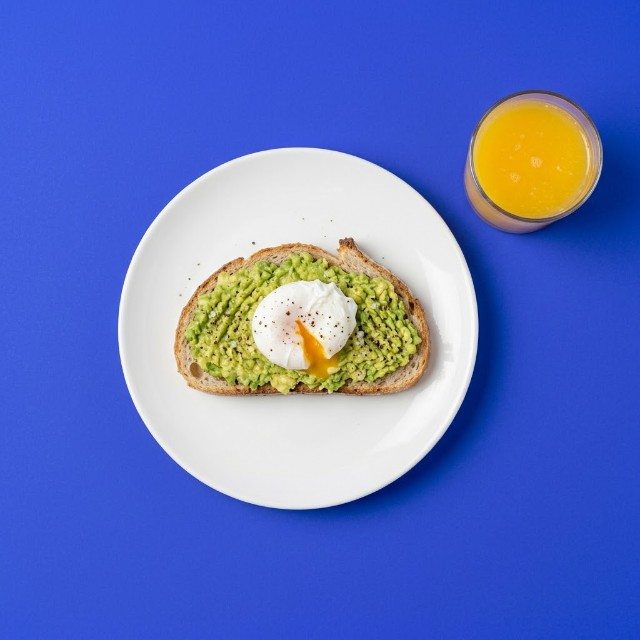
Centred compositions also work, especially for symmetrical subjects like a plate from above or a shop entrance. The point is to choose on purpose.
3. Simplify the background
Busy backgrounds steal attention. Before shooting, look at the edges of the screen, not just the subject. Move cups, napkins, bags and boxes. Change your angle so the background becomes a plain wall or a calm surface. Shooting slightly from above often hides a messy room behind the product.
For more on this, read how to choose backgrounds for product photos.
4. Leave negative space
Negative space is the empty area around the subject. It gives the photo room to breathe and makes the subject stand out. It also has a practical benefit: you can crop the image to square, 4:5 or 9:16 without cutting off the product, and you have room for a short text or price.
Do not fill every centimetre of the frame. A single croissant on a large wooden board can look more appealing than a crowded tray.
5. Use lines and layers
Lines lead the eye. The edge of a counter, a row of chairs, a shelf or a street can guide viewers towards your subject. Diagonal lines feel more dynamic than horizontal ones.
Layers add depth. Put something slightly blurred in the foreground (a glass, a plant, the edge of a table), your subject in the middle and the background behind. This makes even a small café look spacious and inviting.
6. Mind the angle and the edges
- Choose a deliberate angle: straight above, at 45 degrees, or at eye level. Halfway between angles usually looks accidental.
- Keep lines straight: tilted shelves and leaning walls look careless.
- Check the edges: avoid cutting through the middle of an object, a person's head or a plate rim in an awkward place. Either include it fully or crop it clearly.
- Get closer: most beginner photos are taken from too far away. Take two steps forward and see what happens.
Quick checklist before you shoot
- What is the subject?
- Is anything distracting in the frame or at the edges?
- Is the subject on a third line or deliberately centred?
- Is there enough empty space to crop for different formats?
- Are horizontal and vertical lines straight?
- Would getting closer make it better?
When you have a decent product shot but the surroundings let it down, the free AI photo tool can place the product on a clean studio-style background, which gives you a simple, well-composed image to build on.
Start this week
Take one product or dish and shoot it five ways: centred, on a third line, from above, close up and with a blurred foreground. Put the five photos side by side and choose the strongest. Then use that composition as your template for the next few posts. After a couple of weeks, these rules become a habit, and you will apply them without thinking.